DOX Optima
Dental Clinic and Lab Platform
Both sides of a dental platform: a clinic app for patients, appointments and billing, and a lab app that takes each case from scan to invoice. Live for 20+ dental clinics and 500+ patients at 99.9% uptime.
Two products, one dental platform
We designed and built both sides of DOX Optima: the clinic app dentists use to run their practice, and the lab app that receives their cases and turns them into finished restorations. The platform runs in production for 20+ dental clinics and 500+ patients at 99.9% uptime.
The clinic: running a dental practice involves much more than treating patients
Teams need to manage appointments, patient records, treatments, payments, inventory, staff schedules, and day-to-day operations, often across disconnected tools.
The challenge was to create a unified experience that could handle these workflows without overwhelming users.
One connected practice
We started by mapping the core workflows of a dental practice and identifying the information teams need most frequently.
Instead of treating every feature as an isolated module, we designed the experience around the complete patient and practice journey: patients, appointments, treatments, payments, operations, and insights.
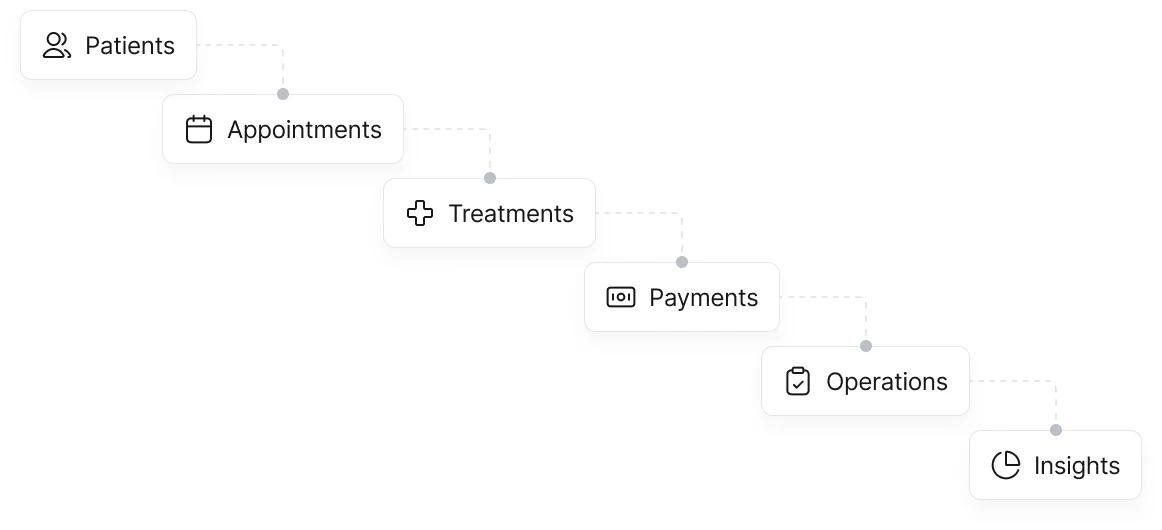
A dashboard built around what matters
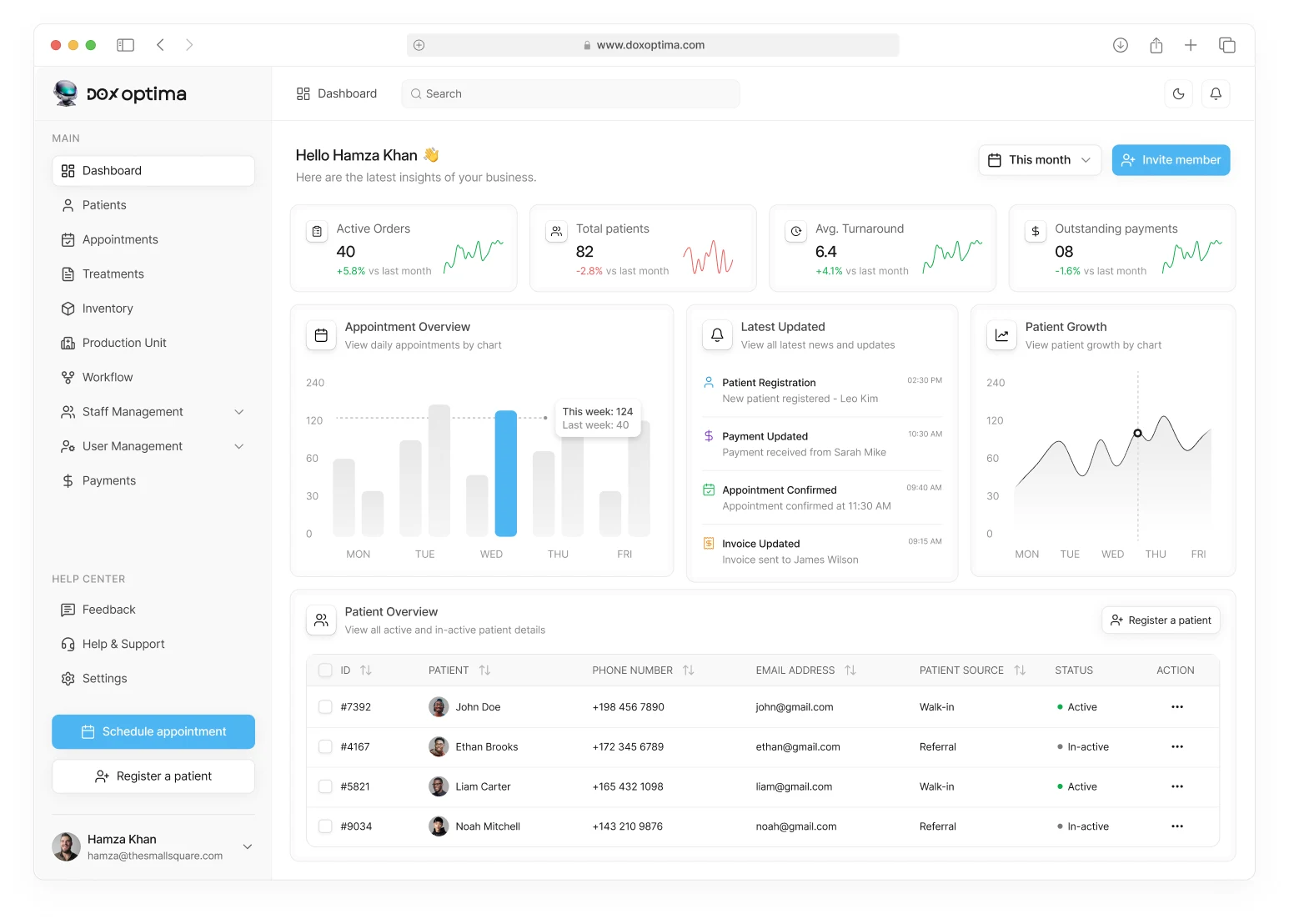
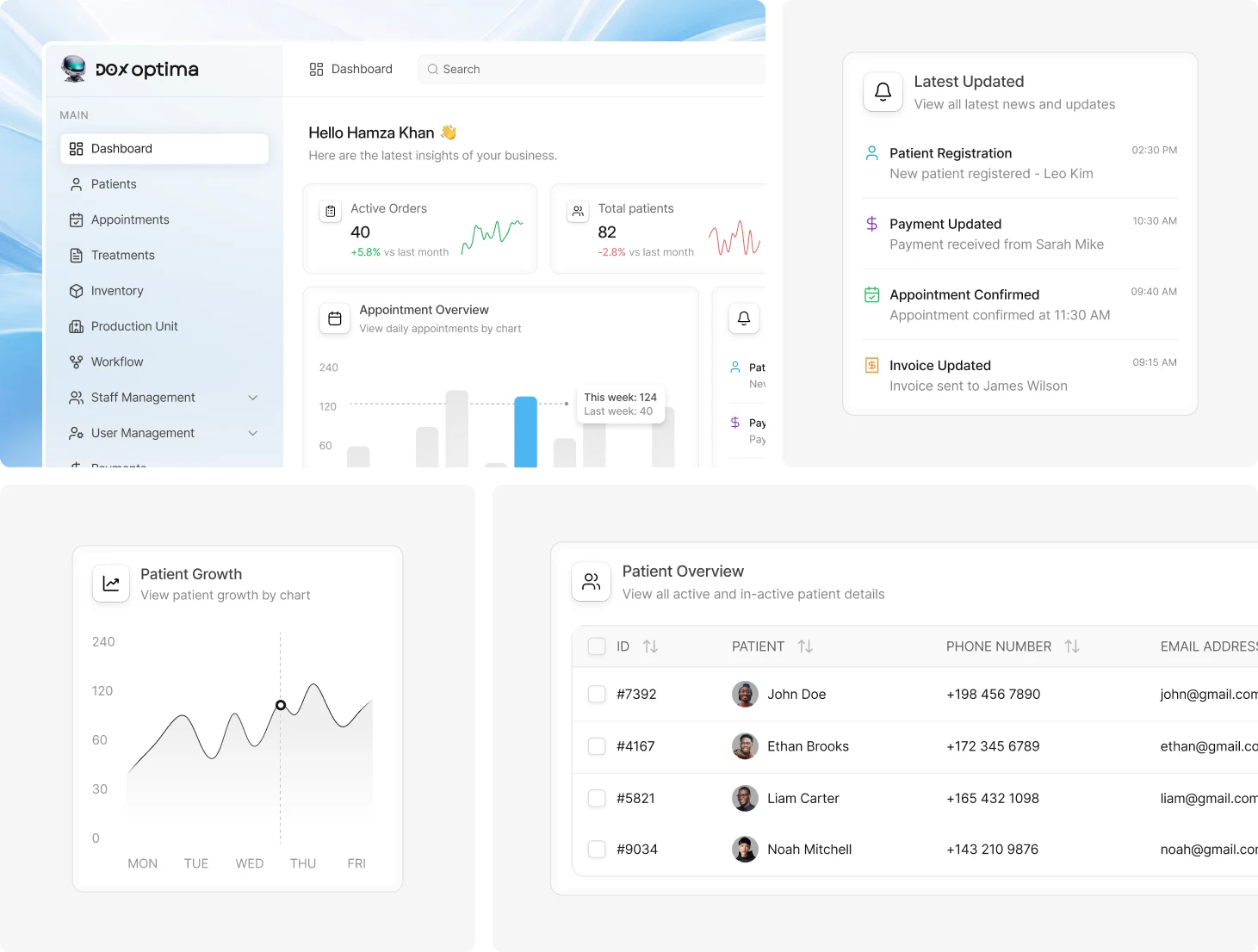
The dashboard brings the most important clinic information into one clear, organized view. Practice managers can quickly see appointments, patient activity, treatments, payments, and operational updates without navigating through multiple screens.
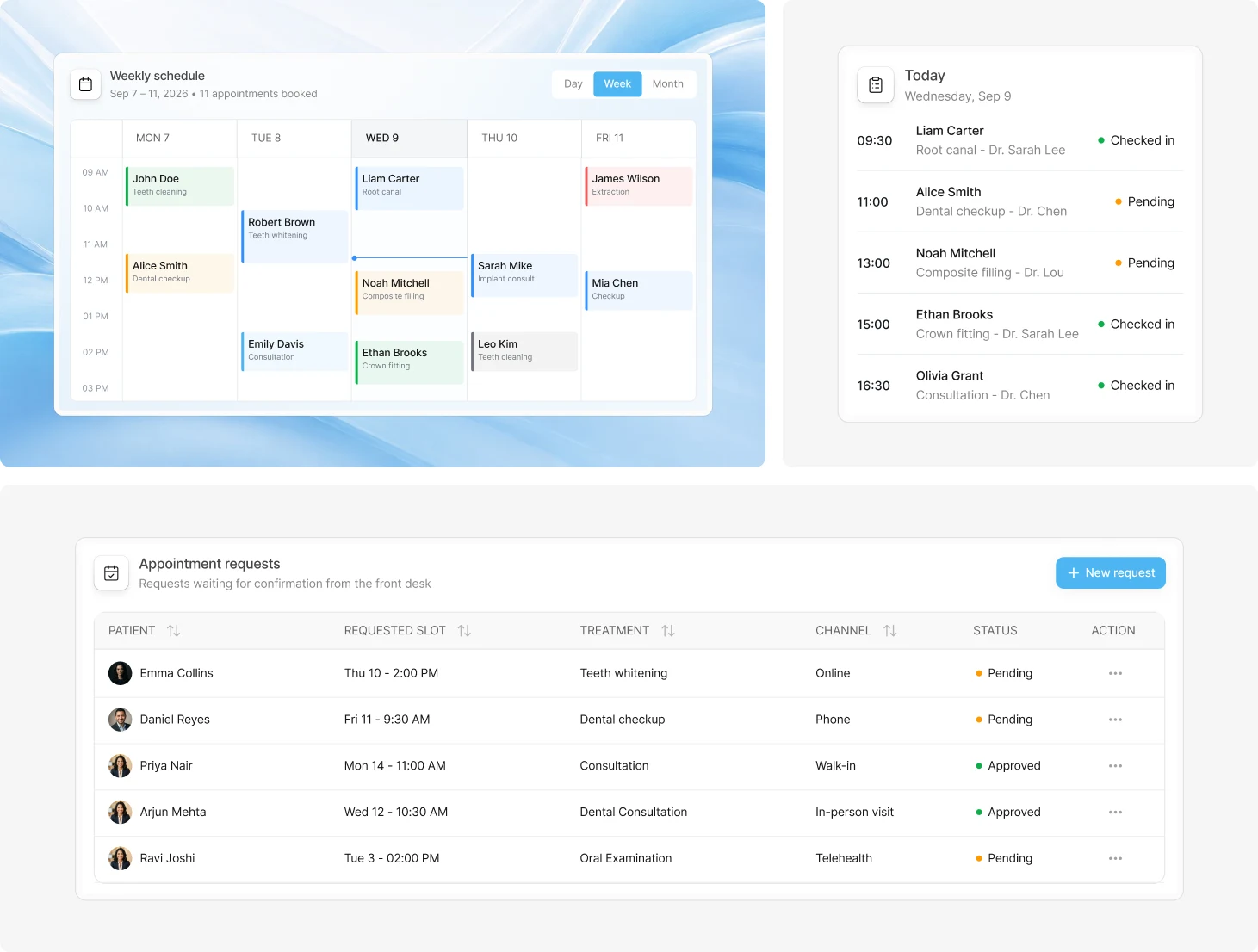
Making appointment management effortless
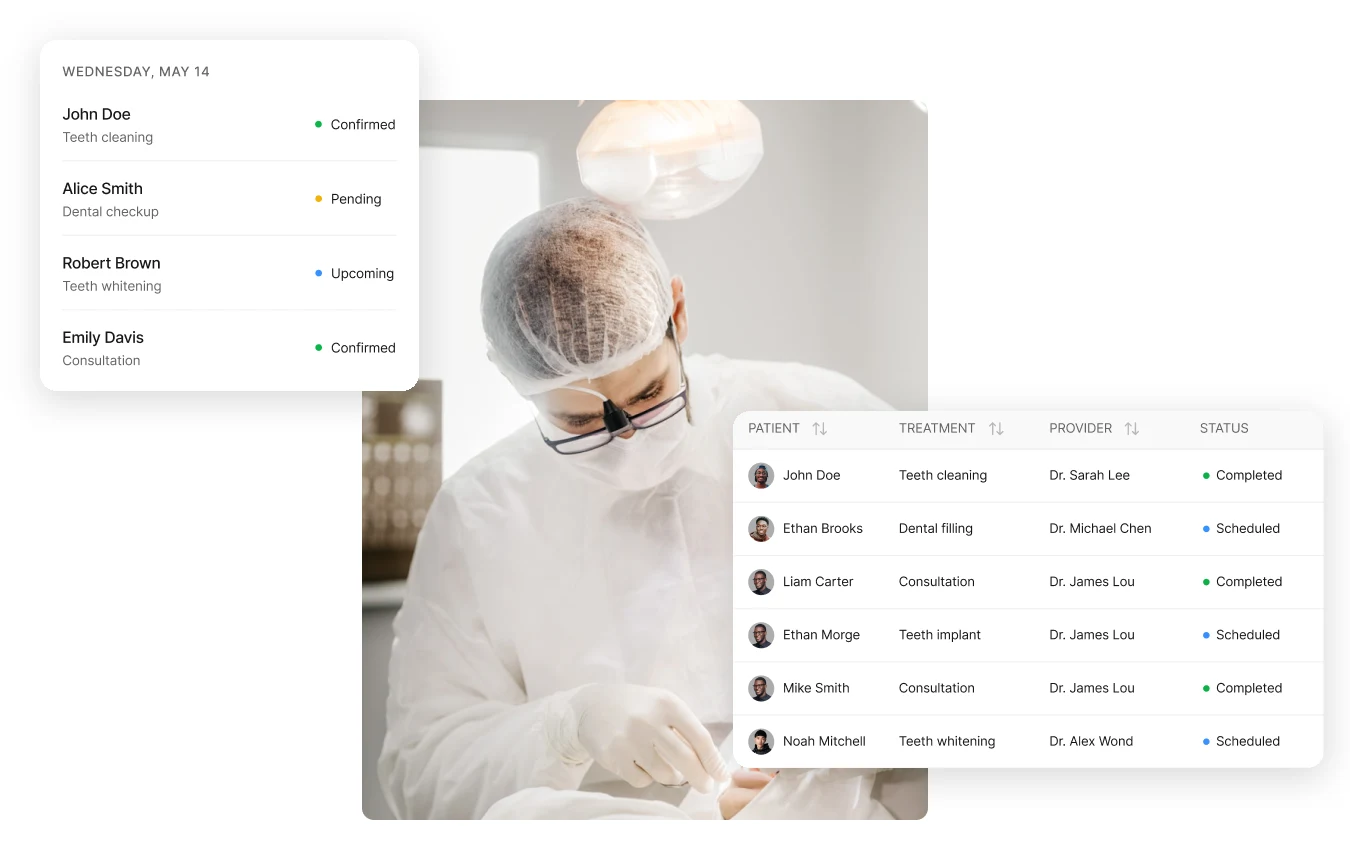
The scheduling experience brings the clinic’s daily appointments into a clear, easy-to-scan calendar. Staff can quickly understand who is visiting, their treatment, assigned provider, and appointment status.
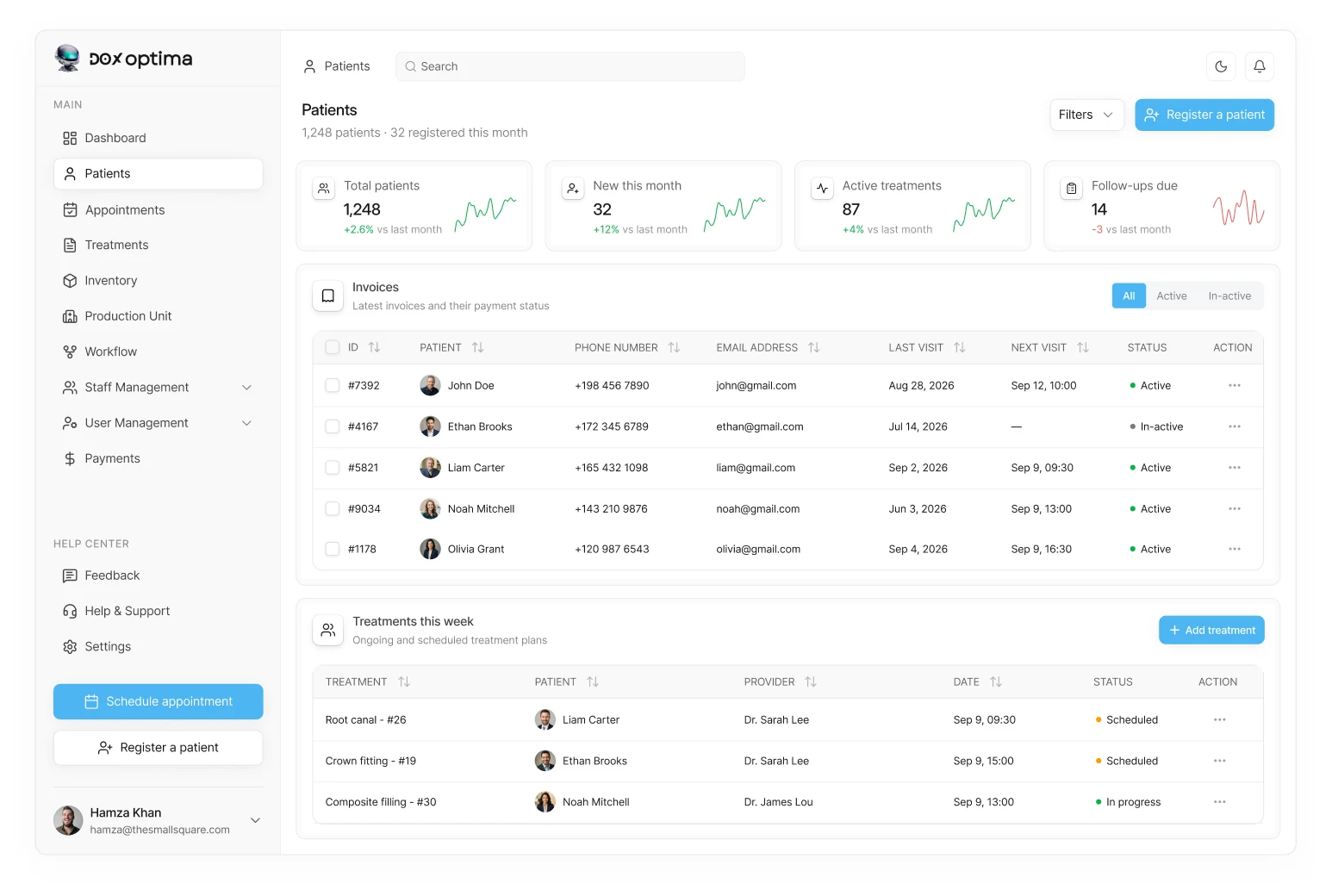
Bringing patient information together
Patient information is brought together in a structured workspace, making essential details easy to find without overwhelming the user. Staff can move seamlessly between patient details, treatment history, appointments, and balances.
Making patient history easy to capture
We designed the patient history flow to make adding and updating clinical information simple and organized. Each entry can be recorded with the relevant details while keeping the patient’s timeline clear, down to a tooth-level examination chart.

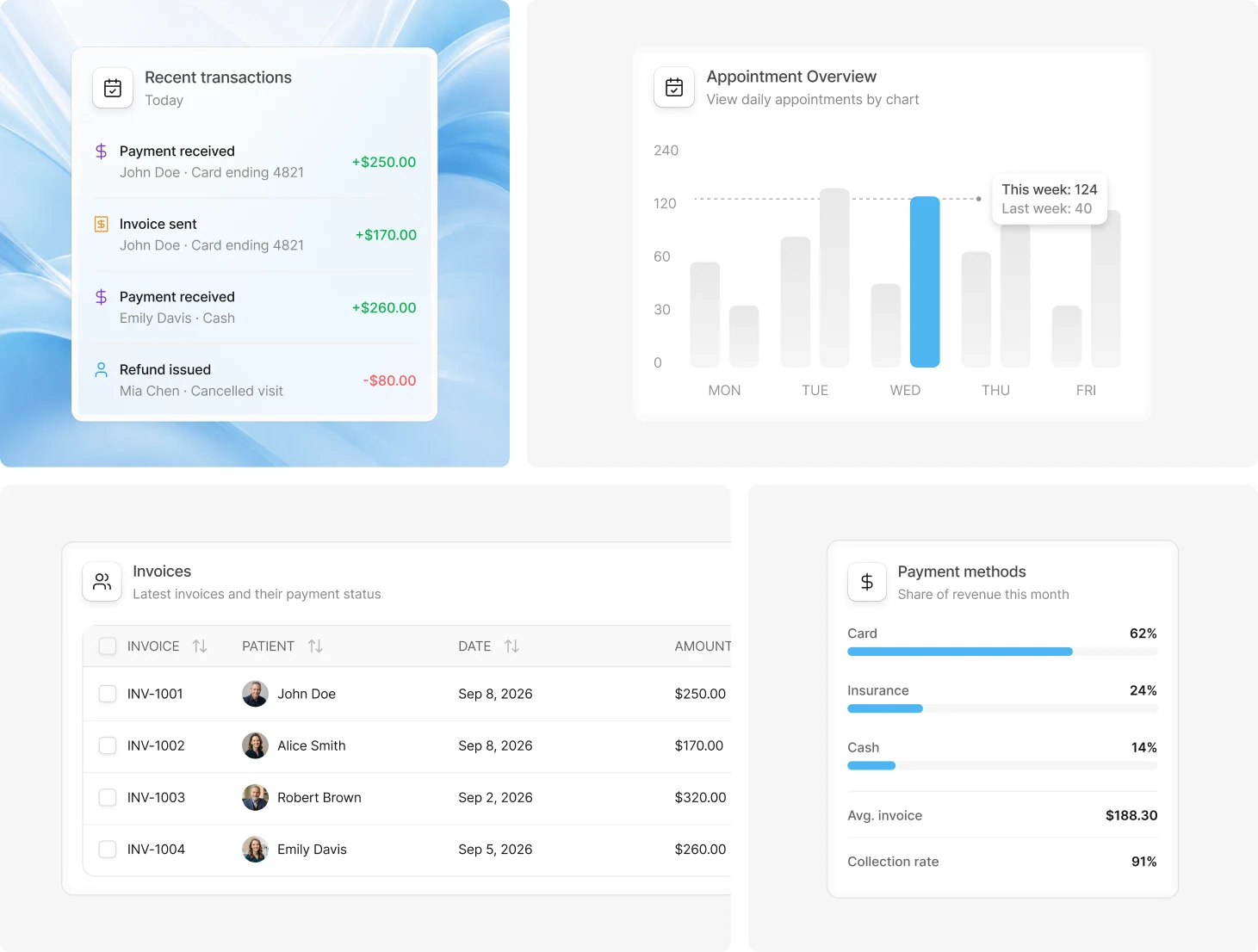
Simplifying billing and payments
Financial information is organized into a clear, structured view that brings revenue, outstanding balances, paid invoices, and overdue payments into focus, while detailed transactions remain accessible when deeper insight is needed.
Smarter inventory management
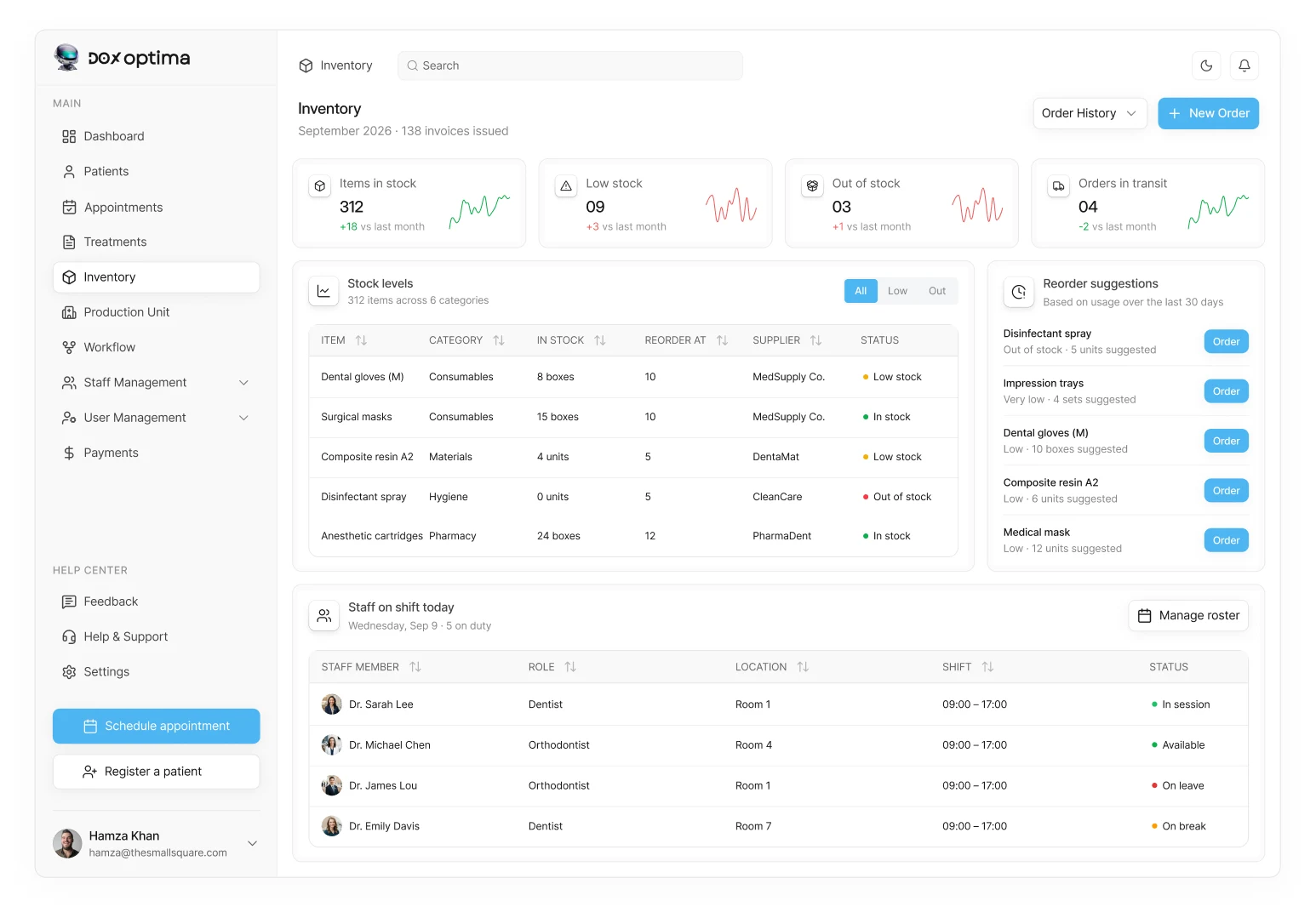
The inventory experience gives teams a clear view of stock levels, low-stock items, incoming orders, and suggested reorders. This makes it easier to stay ahead of supply needs and keep essential clinical materials available.
The lab: management for dental labs
The clinic’s cases go to the lab. DOX Optima’s lab product takes each case from the dentist’s scan to the clinic’s invoice in one system.
Running a dental lab involves much more than making restorations
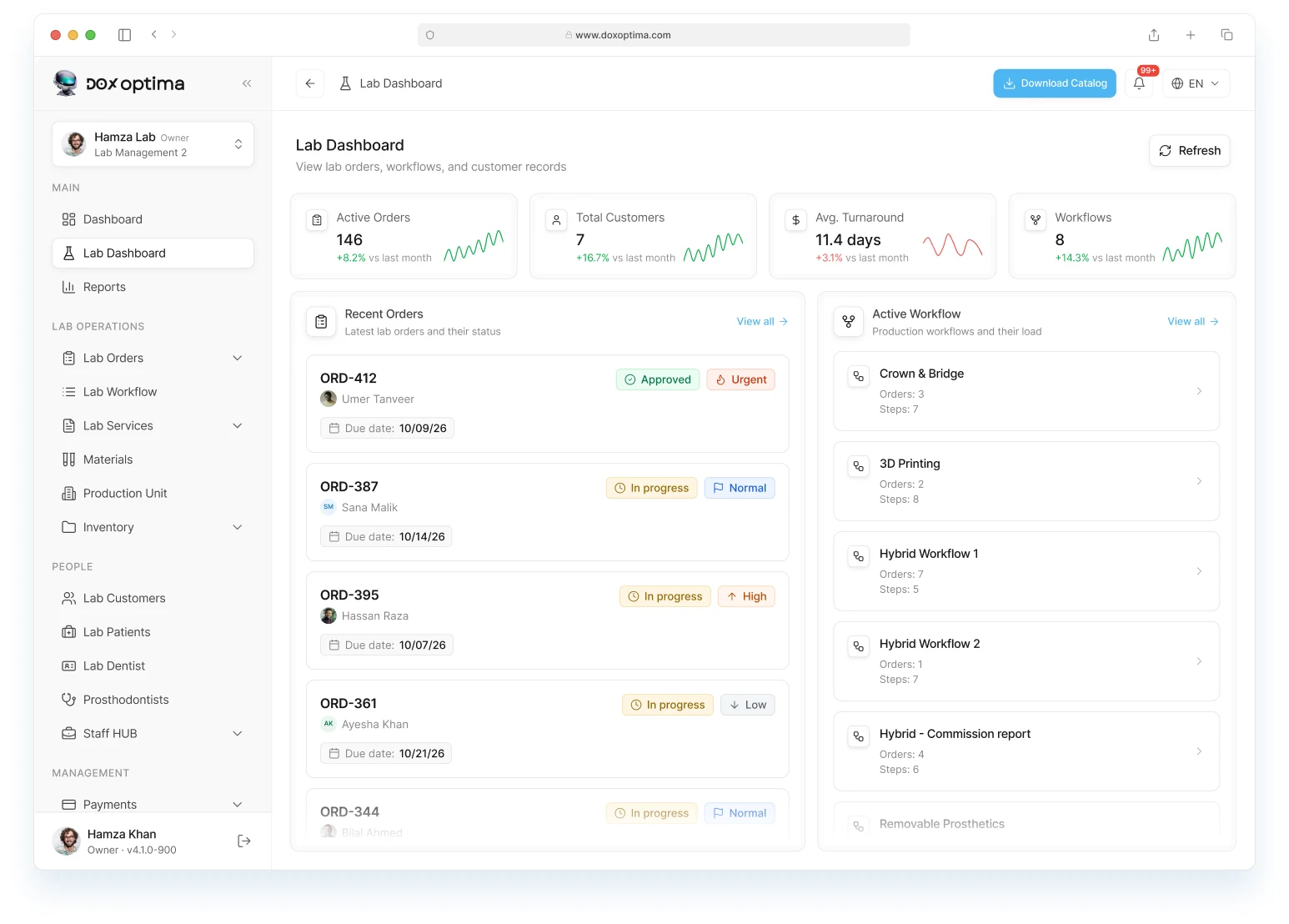
Lab teams receive cases from many dentists, move each one through design, milling and finishing, and manage materials and deadlines, often across spreadsheets, calls and chat.
The challenge was to bring every case, workflow and customer into one place without slowing technicians down.
From scan to invoice, every case in one flow
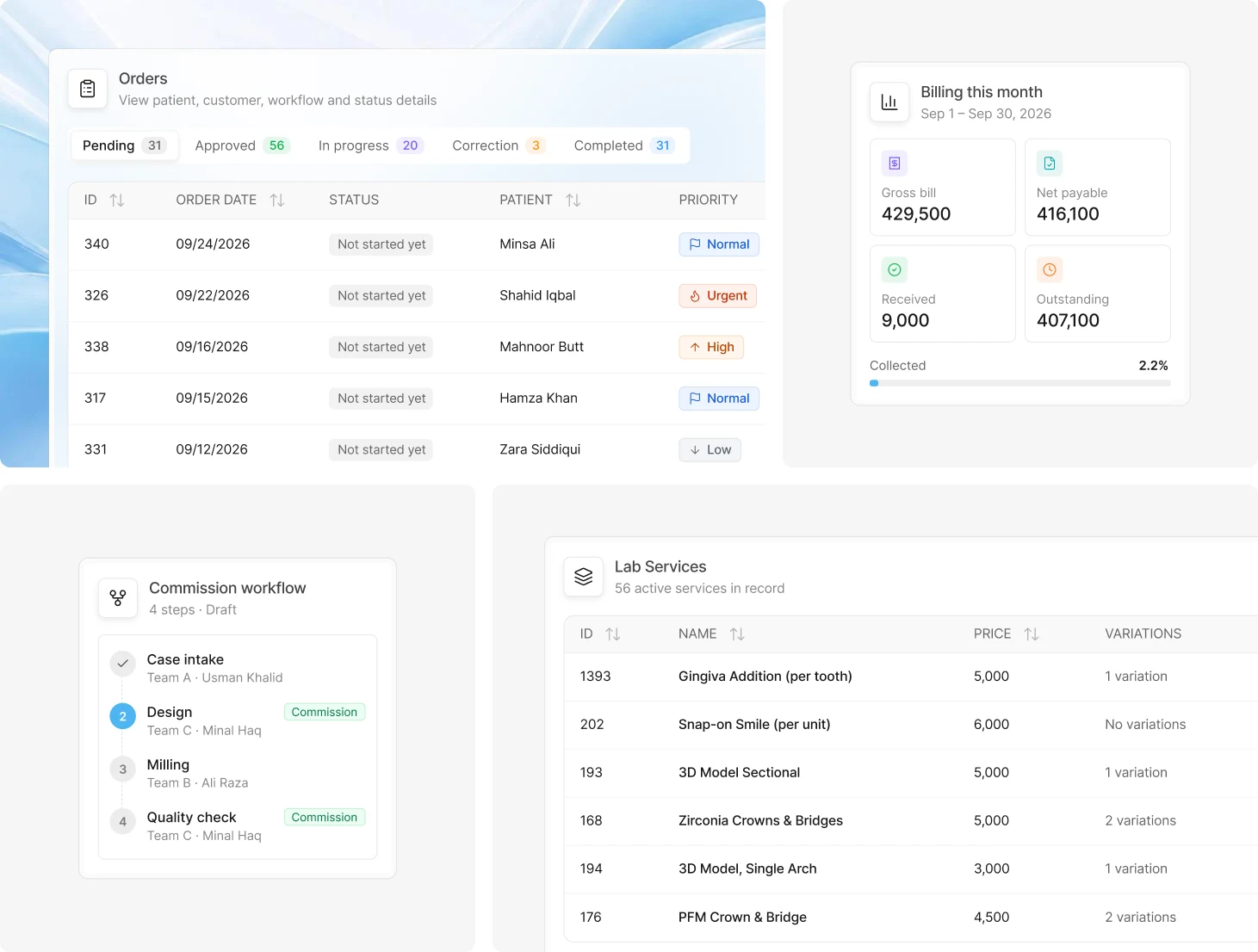
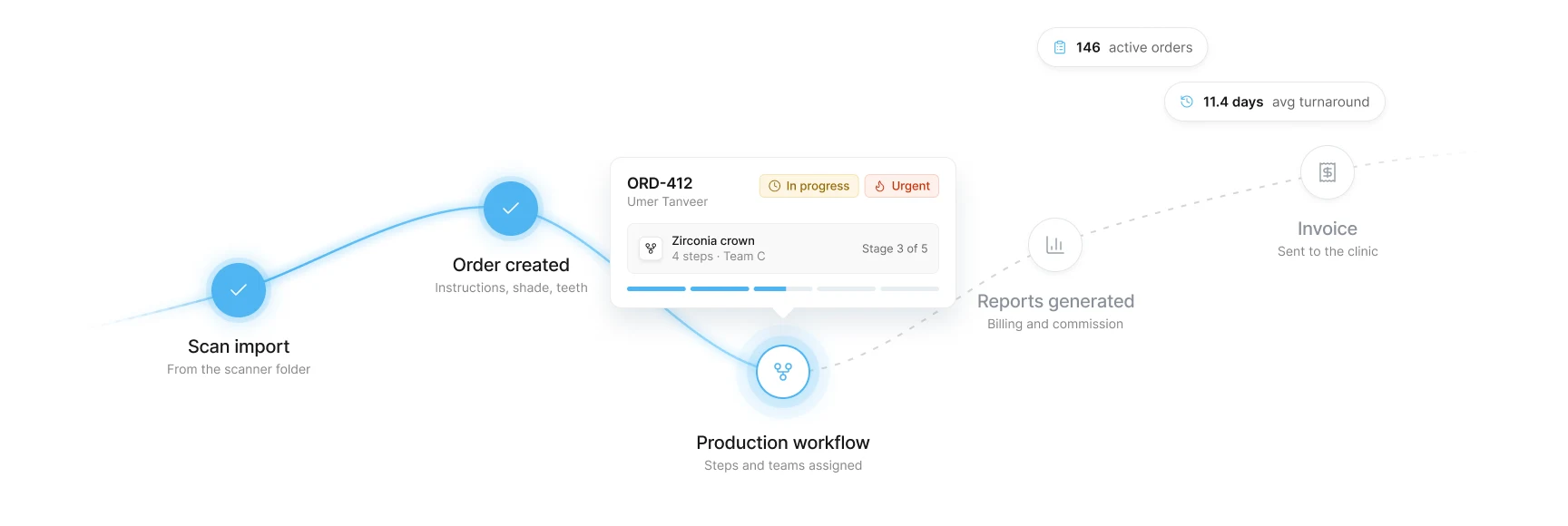
A case starts with the doctor’s scan, becomes an order, runs through the lab’s workflow, lands in reports and ends as an invoice, all in one connected system.
From the scanner folder to the order queue
Point DOX Optima at the Panda scanner’s ScanData folder and every new scan is picked up automatically. Patient, case and scan details are read from the scan file, ready to upload to the lab or reject.
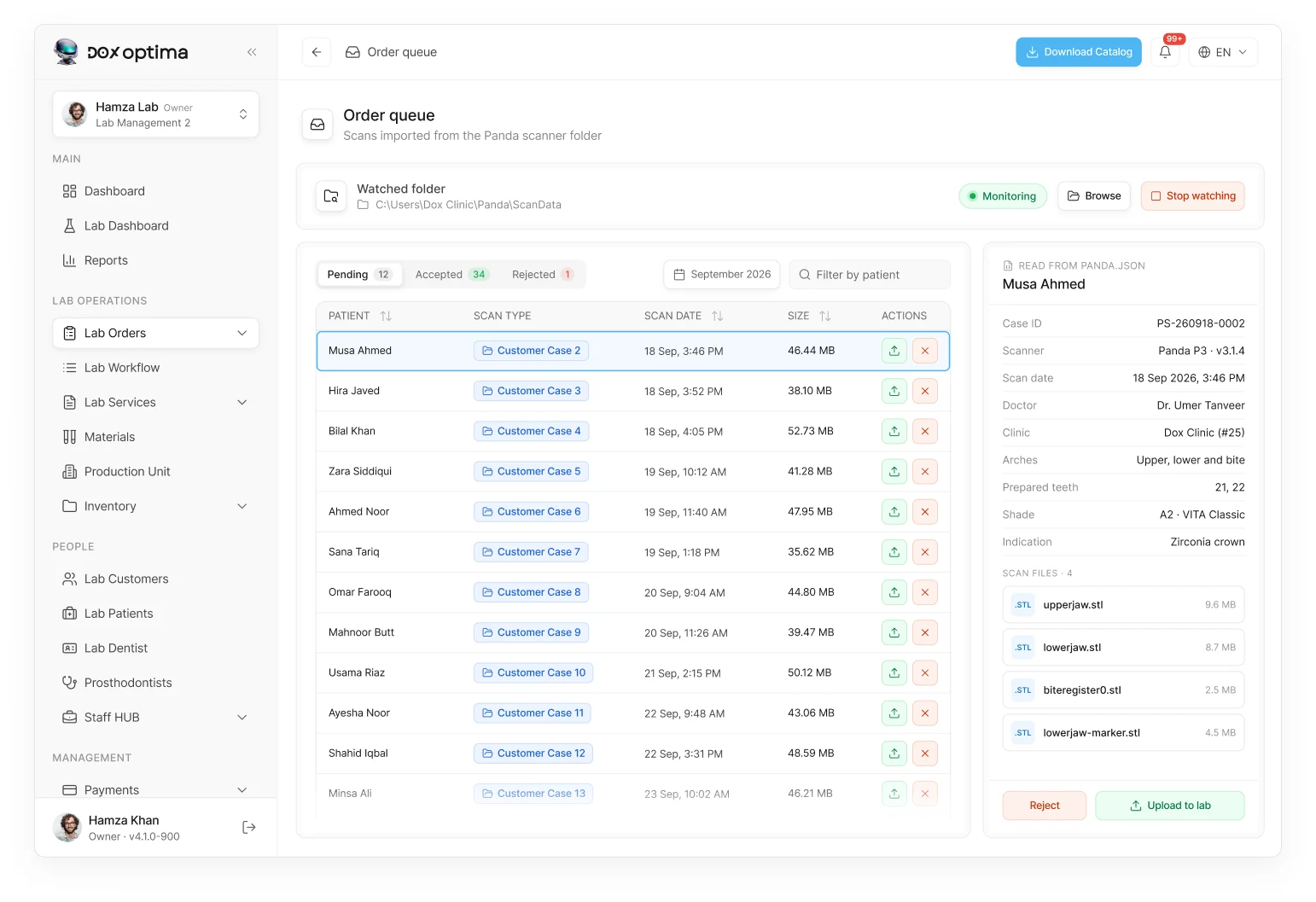
Every scan becomes a complete order
Once a scan is uploaded, the order is created with the patient, dentist, shade, teeth and scan files already attached. Open it from the list to review the details and approve it for production.
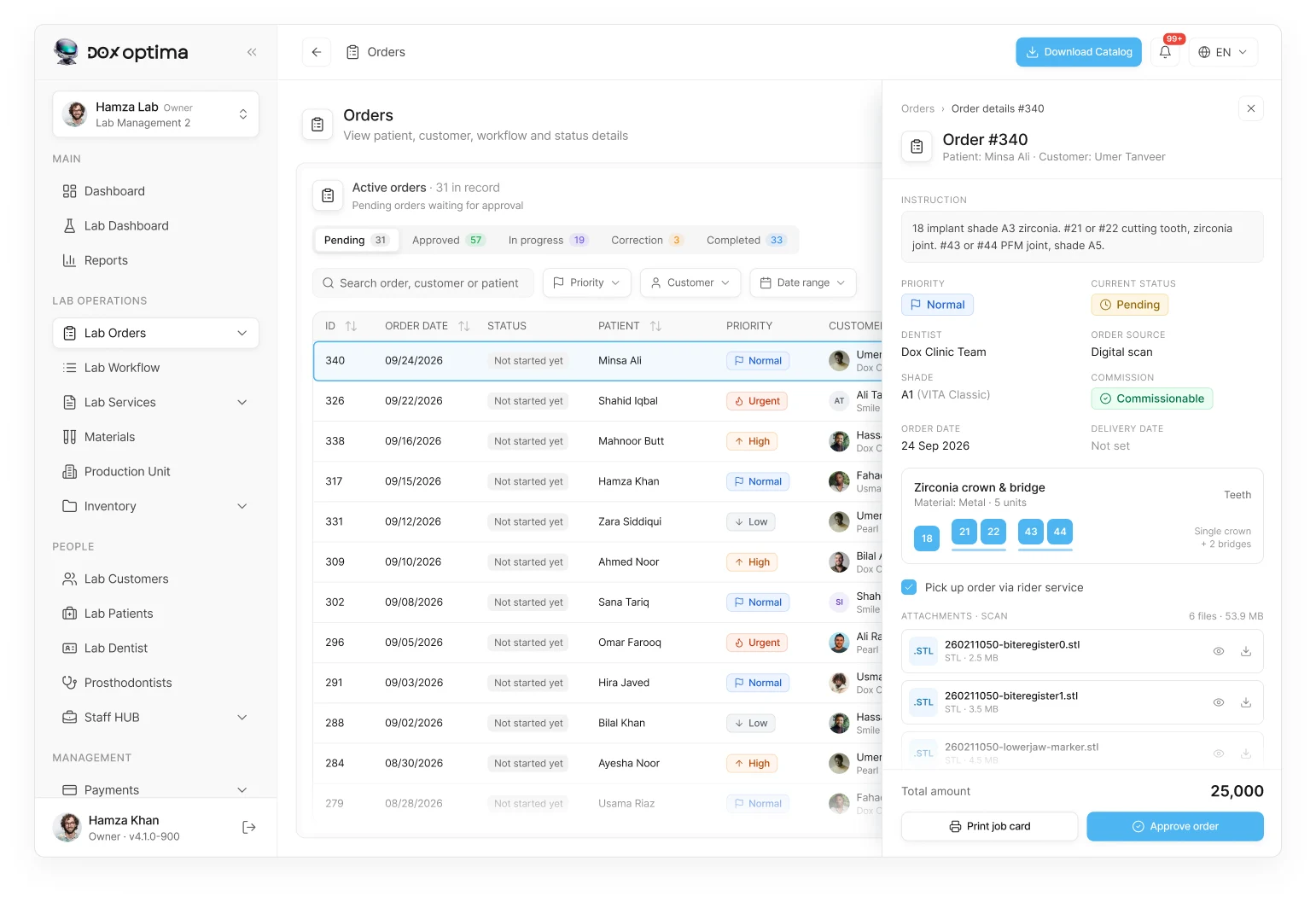
Every order follows its own workflow
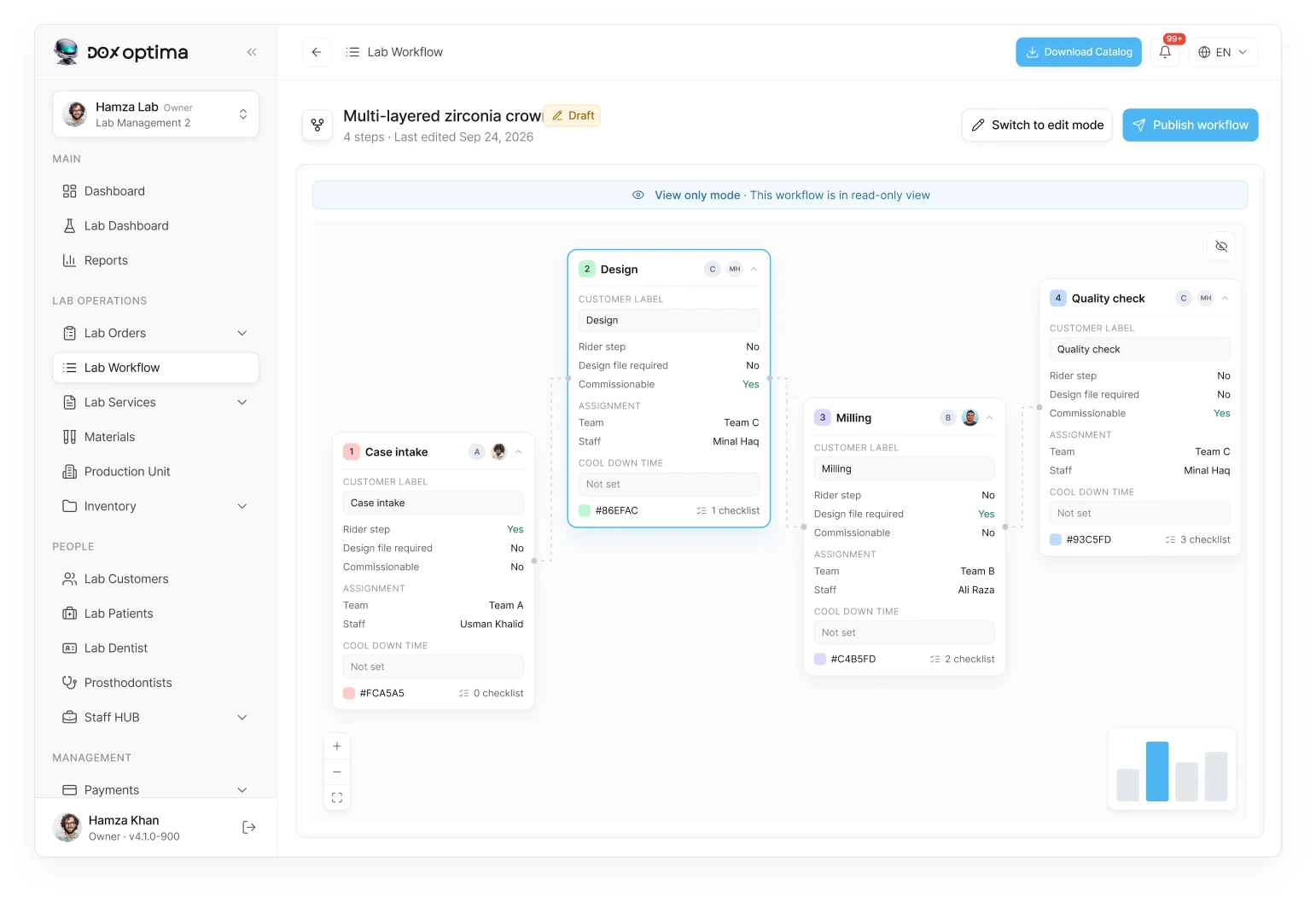
Approved orders run through a workflow built for their service, like a multi-layered zirconia crown. Each step sets its team, staff, commission, cool down time and checklist, so production runs the same way every time.
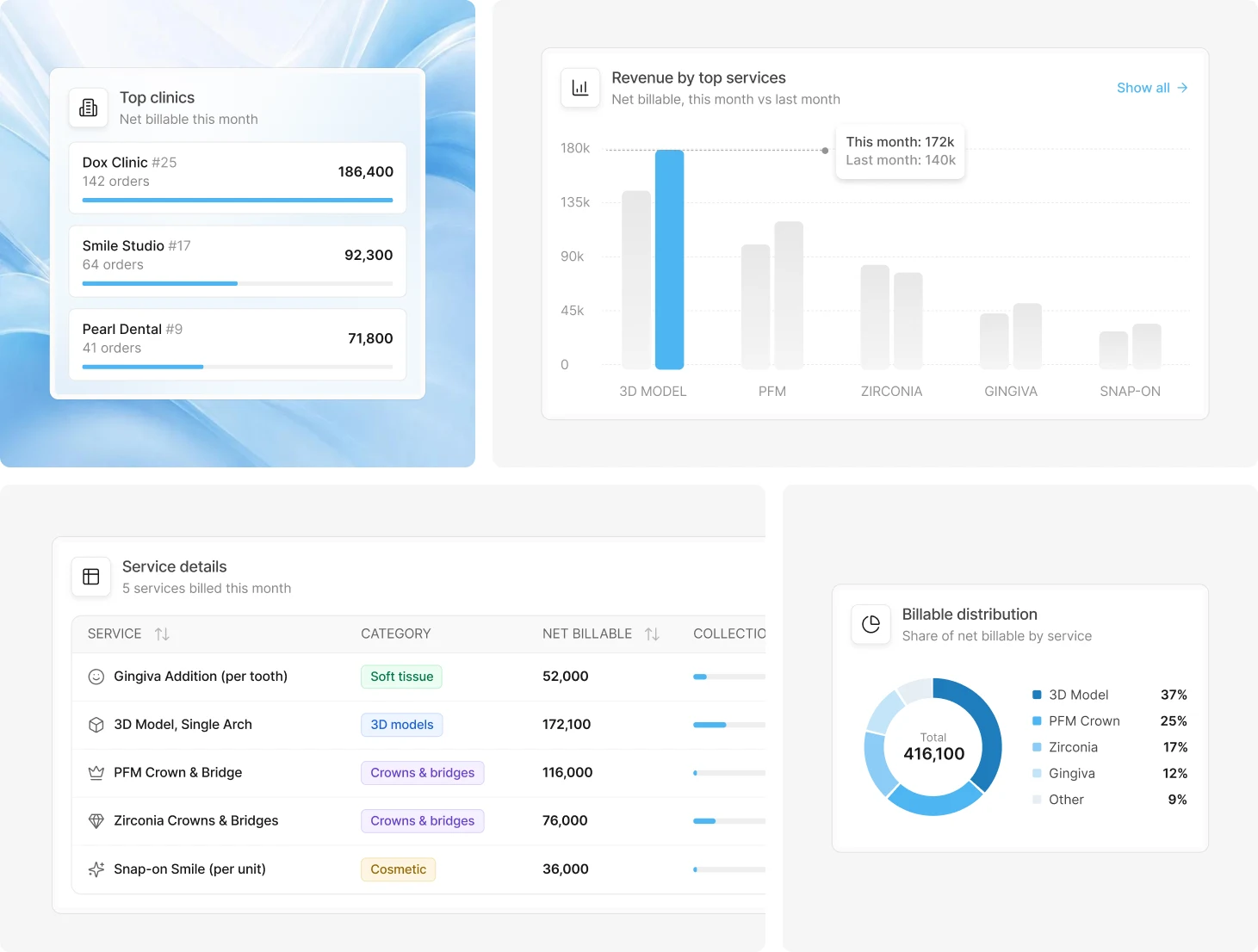
Every finished case lands in the reports
As cases move through production, billed, discounted, received and outstanding amounts update by service and by clinic, ready to export for accounting and commissions.
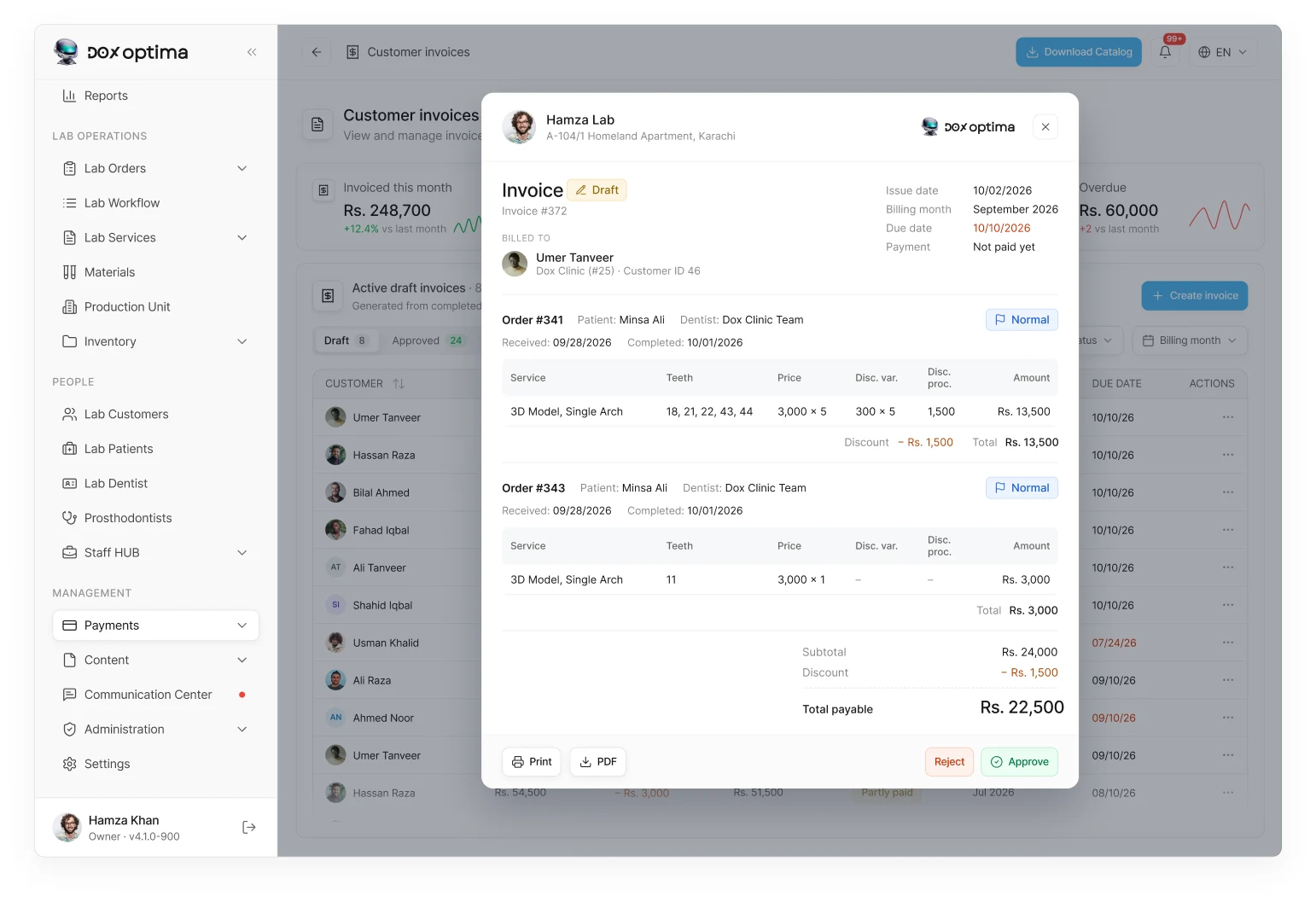
Every month closes with a clear invoice
Draft invoices are generated for each customer’s billing month, then approved, sent and tracked until paid, with discounts and due dates always in view.
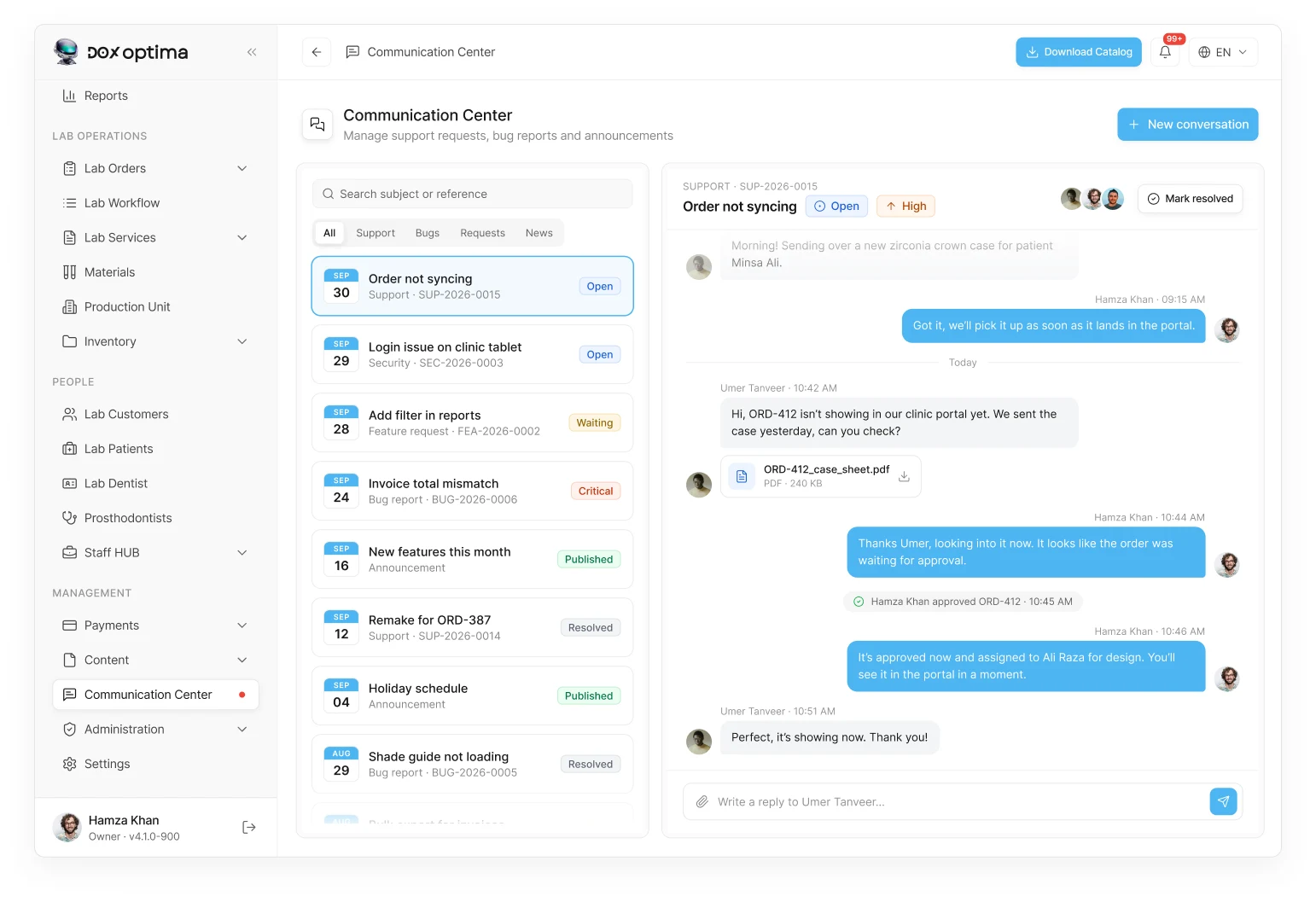
One inbox for every clinic conversation
Support requests, bug reports, feature ideas and announcements live in one place. Every thread has a reference, a status, a priority and an owner, with the full conversation beside it.
The result
A clinic books the patient, takes the scan, and sends the case. The lab picks it up from the scanner folder, runs it through production, and closes the month with an invoice. One system on both sides, replacing the scheduler, spreadsheets, calls and chat each side used to juggle. Live at doxoptima.com for 20+ clinics and 500+ patients at 99.9% uptime.
%20(1).png)
.webp)
.webp)
Accepted Payments


