The Ultimate Checklist Before Launching a New Website
Launching a new website is an exciting milestone for any business. Whether you're building a brand new platform or redesigning an existing one, a successful launch requires more than just good design. Many websites go live with technical errors, broken links, or poor user experiences that can hurt both credibility and conversions.
A proper launch checklist helps ensure that your website performs smoothly, provides a great user experience, and is ready to support your business goals from day one.
Below is the ultimate checklist every business should review before launching a new website.
Make Sure Your Website is Fully Responsive
Today’s users browse websites on a variety of devices including smartphones, tablets, laptops, and desktops. If your website does not function properly on smaller screens, you risk losing a significant number of visitors.
Before launching, test your website on multiple screen sizes and devices. Make sure that:
- Navigation works smoothly on mobile devices
- Text is readable without zooming
- Buttons and links are easy to tap
- Images scale properly without distortion
A responsive website ensures that all users have a seamless experience regardless of the device they are using.
Test Website Speed and Performance
Website performance directly affects user experience and search engine rankings. Slow websites often lead to high bounce rates and frustrated visitors.
Before launch, run performance tests and optimize your website for speed.
Important things to check include:
- Image optimization and compression
- Efficient code and scripts
- Fast hosting environment
- Proper caching implementation
A fast-loading website improves both engagement and credibility.
Review Your Website Navigation
Navigation should be simple and intuitive. Visitors should be able to find the information they need without confusion.
Before launching, review the navigation structure and ensure that:
- Menu items are clearly labeled
- Important pages are easy to access
- Dropdown menus work correctly
- There are no dead-end pages
Good navigation helps guide visitors smoothly through your website and increases the chances of conversions.
Check All Links and Buttons
Broken links can damage user trust and create a poor browsing experience. Before launching, test every link and button across the entire website.
Make sure that:
- Internal links lead to the correct pages
- External links open properly
- Buttons trigger the correct actions
- Downloadable files work correctly
Even small errors like broken links can negatively impact the overall experience of your website.
Optimize Your Website for SEO
Search engine optimization should be implemented before launching your website. Proper SEO helps search engines understand your content and improves visibility in search results.
Key SEO elements to review include:
- Optimized page titles and meta descriptions
- Proper heading structure (H1, H2, H3)
- Keyword-focused content
- Image alt tags
- SEO-friendly URLs
These steps help ensure your website is ready to attract organic traffic once it goes live.
Ensure Clear Calls-to-Action
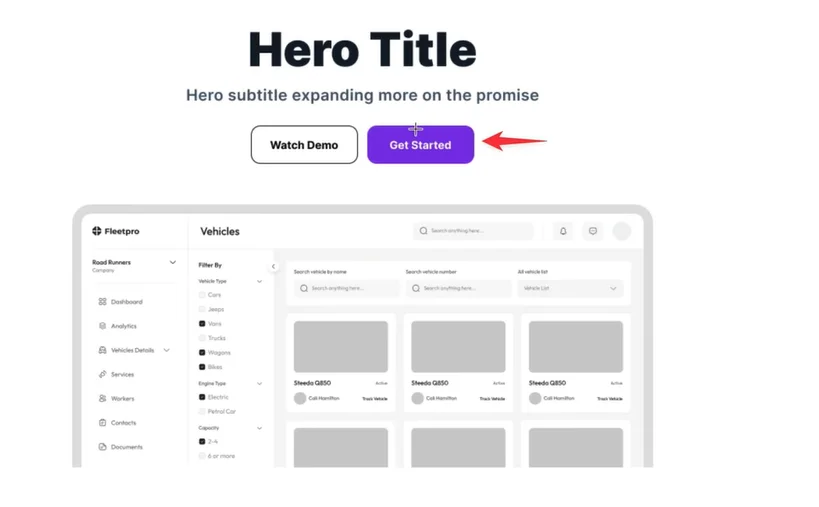
Every page on your website should guide visitors toward a specific action. Without clear calls-to-action, users may leave your website without engaging with your business.
Effective CTAs may include:
- Booking a consultation
- Signing up for a newsletter
- Requesting a quote
- Exploring services
Make sure your CTAs are clearly visible and placed strategically throughout the website.
Test Forms and User Interactions
Forms are often the primary way users interact with your website. If they do not work correctly, you may miss valuable leads.
Before launching, test all forms and interactive elements such as:
- Contact forms
- Newsletter signup forms
- Login or registration pages
- Payment or checkout processes
Verify that submissions are successfully delivered and confirmation messages appear correctly.
Review Content for Clarity and Accuracy
Content should clearly communicate your brand message and value proposition. Before launch, review all content carefully to ensure there are no errors.
Check for:
- Grammar and spelling mistakes
- Clear and concise messaging
- Consistent brand tone
- Updated company information
Strong content helps build trust and improves the overall professionalism of your website.
Implement Security and Backups

Website security is essential for protecting both your business and your users.
Before launching, ensure that:
- Your website uses HTTPS with an SSL certificate
- Security plugins or tools are installed
- Regular backups are configured
- Admin access is protected with strong passwords
Security measures help prevent potential issues and maintain the reliability of your website.
Final Testing Before Going Live
The final step is conducting a complete walkthrough of the website. Navigate through each page as if you were a new visitor.
During this process, confirm that:
- Pages load correctly
- Images display properly
- Navigation works smoothly
- Forms and buttons function as expected
This final review helps catch any small issues that may have been overlooked during development.
Conclusion
Launching a website without proper preparation can lead to technical problems, poor user experiences, and missed opportunities. Following a structured launch checklist ensures that your website is optimized, functional, and ready to perform from the moment it goes live.
Businesses that work with experienced professionals can often avoid many common launch issues and build stronger digital platforms. Partnering with a top website development agency like The Small Square can help ensure your website is designed, developed, and optimized for long-term success.



Accepted Payments

