How to Use Claude Custom Instructions to Refine SaaS Product Design
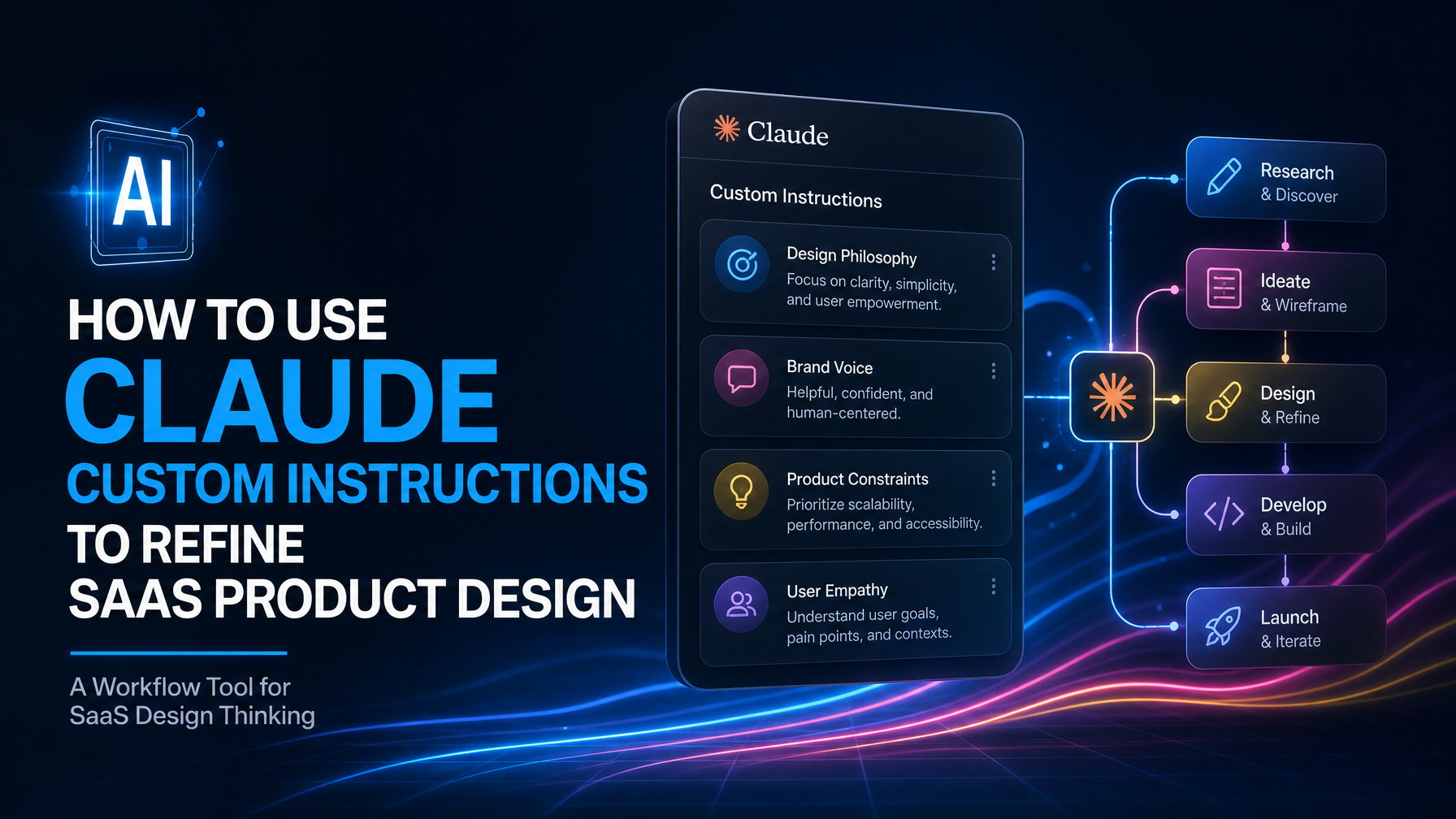
Claude Custom Instructions: A Workflow Tool for SaaS Design Thinking
Most SaaS founders treat their design process as a linear series of handoffs—sketch, wireframe, design, develop, ship. But that's inefficient and brittle. Claude custom instructions let you embed your design philosophy, brand voice, and product constraints directly into your AI assistant so every output stays aligned with your vision without constant repriming.
The real advantage isn't speed (you'll find faster tools for isolated tasks). It's coherence—the ability to iterate on copy, interaction patterns, and visual hierarchy while staying true to your product's core identity.
What Custom Instructions Actually Do
When you add custom instructions to Claude, you're essentially building a context layer that persists across every conversation. Instead of repeatedly explaining that your SaaS targets enterprise operations teams, prefers minimal design language, and uses a specific tone, you write it once and Claude applies it automatically.
For a SaaS product, this means you can:
- Ask Claude to critique wireframes using your actual brand guidelines—not generic design principles.
- Generate UI copy variants that match your founder voice and value prop in a single request.
- Pressure-test feature descriptions against your ICP's real objections without restating them every time.
- Explore naming conventions, taxonomy, and button labeling that fits your product's personality.
The instructions act as a design system rulebook that travels with you. No more "wait, did I say we always use active voice in CTAs?" You've already written it down.
Building Custom Instructions That Work
The temptation is to write comprehensive, generic design advice. That defeats the purpose. Instead, anchor your instructions on three concrete things:
1. Your ICP and their actual pain
Don't write "we serve B2B SaaS teams." Write: "Our users are finance operations managers at mid-market companies (50–500 people) who spend 6+ hours a week on manual reconciliation. They are not designers and have low risk tolerance for UX changes."
This changes everything. Claude will now suggest simpler language, predict what'll feel risky, and avoid suggesting trendy-but-confusing interactions.
2. Your specific brand constraints
List the non-negotiable elements: color palette, typography rules, tone markers, and messaging pillars. For example: "We use Montserrat Bold for headlines (only), limit ourselves to 3 primary colors, and always lead with the time saved or risk reduced, not the feature."
The more specific, the better. "Friendly but professional" is useless. "We use contractions, avoid exclamation marks, and prefer active voice with the user as the subject" is actionable.
3. Your design decision frameworks
Share how you think about tradeoffs. Example: "We prioritize simplicity over comprehensiveness. If a feature can't be explained in one sentence, we need to break it into smaller pieces. We never hide critical information behind clicks."
This teaches Claude your reasoning, not just your rules. It can then apply the same logic to new problems you haven't explicitly addressed.
Practical Scenarios Where This Saves Time
Scenario 1: Rapid messaging iteration
You're redesigning your landing page hero copy. Instead of describing your product three times across three separate prompts, you ask Claude: "Generate 5 hero headline and subheading pairs for our product page. Rank them by conversion likelihood for our ICP and explain each ranking." Claude pulls from your instructions and delivers specific, tested variants without you restating who your customer is.
Scenario 2: Feature naming and taxonomy
You're building a new module and need to decide between "Workflow Automation," "Smart Tasks," or "Auto-Pilot." Instead of asking Claude generically, you leverage your instructions: "Which of these names fits our brand voice and won't confuse users who have never seen automation before?" Claude can reference your previous naming choices, your tone, and your ICP's technical literacy.
Scenario 3: Design critique that matters
You upload a mockup and ask Claude to critique it against your stated design principles. Rather than getting generic feedback ("the spacing looks tight" or "consider more whitespace"), Claude evaluates against *your* specific framework: Does it fit your minimalist philosophy? Can your ICP understand the hierarchy without help? Does the copy match your tone?
Where This Integrates with Your Design Process
Custom instructions are not a replacement for real design work—they're a research and iteration accelerator. You still need a designer who understands your product deeply, but Claude becomes a 24/7 thinking partner that keeps you honest.
At The Small Square, we've seen founders pair custom instructions with dedicated SaaS development services to maintain consistency between early design exploration and final build. Claude handles the message testing and framework sketching; a real team builds the product that sells itself.
The same applies if you're working with a webflow development agency on your marketing site or exploring custom framer website development for interactive prototypes. Claude keeps your voice and constraints consistent across the entire output.
Common Pitfalls to Avoid
Writing instructions that are too vague ("be creative," "sound professional") adds noise without direction. Claude will apply them inconsistently because they're subjective.
Being too rigid is the opposite problem. If your instructions say "never use metaphors," you'll block yourself from clever messaging that actually lands with your audience. Build in judgment calls: "Avoid metaphors unless the metaphor directly relates to [specific user workflow]."
The final mistake: setting instructions once and forgetting them. As your product matures, your ICP sharpens, and your voice evolves, your instructions should too. Review them every quarter. If Claude starts generating copy that doesn't feel right, the instructions are stale.
Getting Started Today
Spend one hour writing down your ICP in painful detail—not who you want to serve, but who actually pays. Then list 10 design decisions you've already made and the reason behind each. Those two things become your starting instructions. Add your brand rules. Share it with Claude, then test it on a real design challenge you're facing this week.
You'll immediately spot what's missing or unclear (Claude will ask clarifying questions). Refine it. In three iterations, you'll have a reusable design thinking system that travels with you.
The founders who ship products that sell themselves don't do it by accident. They make consistent choices rooted in their market, their brand, and their constraints. Custom instructions are how you encode that consistency into every conversation, every iteration, every decision you make with AI as your thinking partner.



Accepted Payments

