Free Tool to Create Stunning Image Sequences in Seconds (Step-by-Step Guide)

If you are a designer, marketer, or content creator, you’ve probably needed to turn a set of images into a smooth animated sequence at some point—especially for Dribbble shots, social media posts, or portfolio presentations.
The problem is that most tools like Screen Studio, ScreenFlow, or Jitter are powerful but often too complex for something as simple as stitching images into an animation.
In this blog, we’ll explore a completely free tool that lets you create professional image sequence animations in just seconds, without any technical complexity.
What Is This Free Image Sequence Tool?
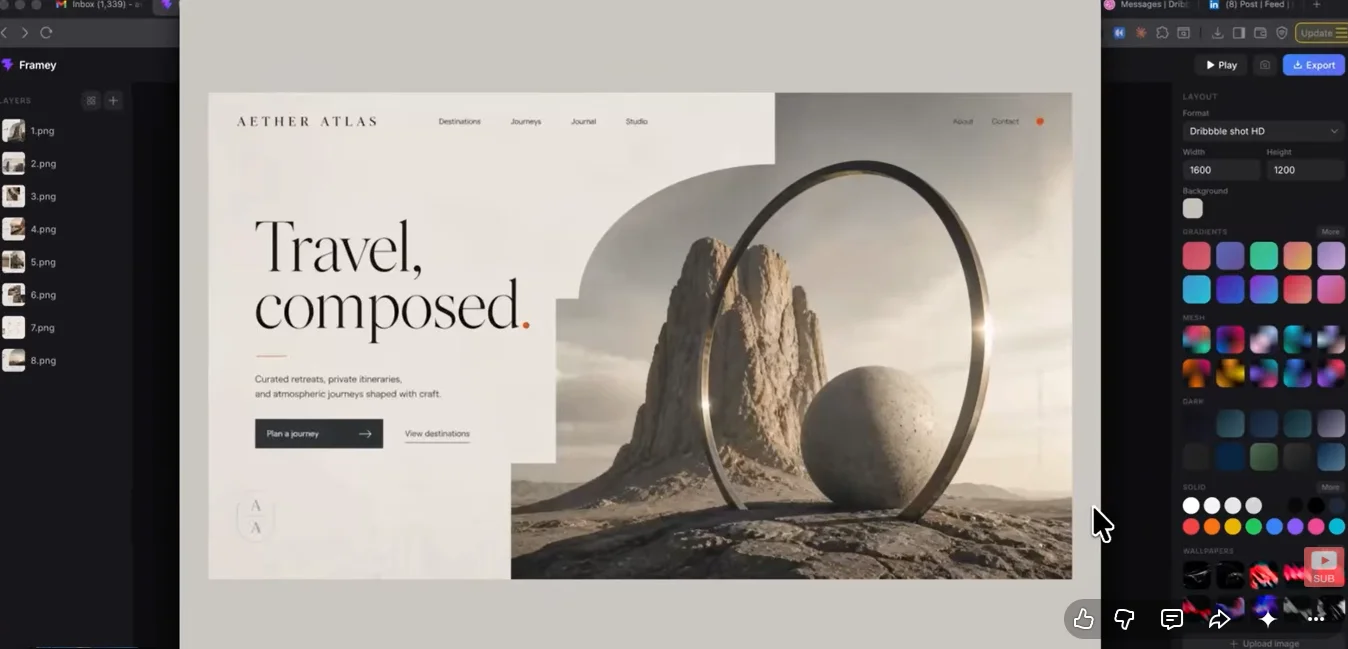
This tool is designed to help users quickly:
- Import multiple images in one go
- Automatically arrange them in correct order
- Convert them into smooth animated sequences
- Export them as high-quality videos
The best part is that everything is designed to be fast, simple, and beginner-friendly.
Why Not Use Tools Like Screen Studio or Jitter?
Tools like:
- Screen Studio
- ScreenFlow
- Jitter
are excellent for advanced motion design, but they can feel heavy for simple tasks.
For basic image sequencing:
- Too many steps are required
- Timeline editing becomes time-consuming
- Simple animations take longer than expected
This is exactly the gap this tool fills.
How to Create an Image Sequence Animation (Step-by-Step)
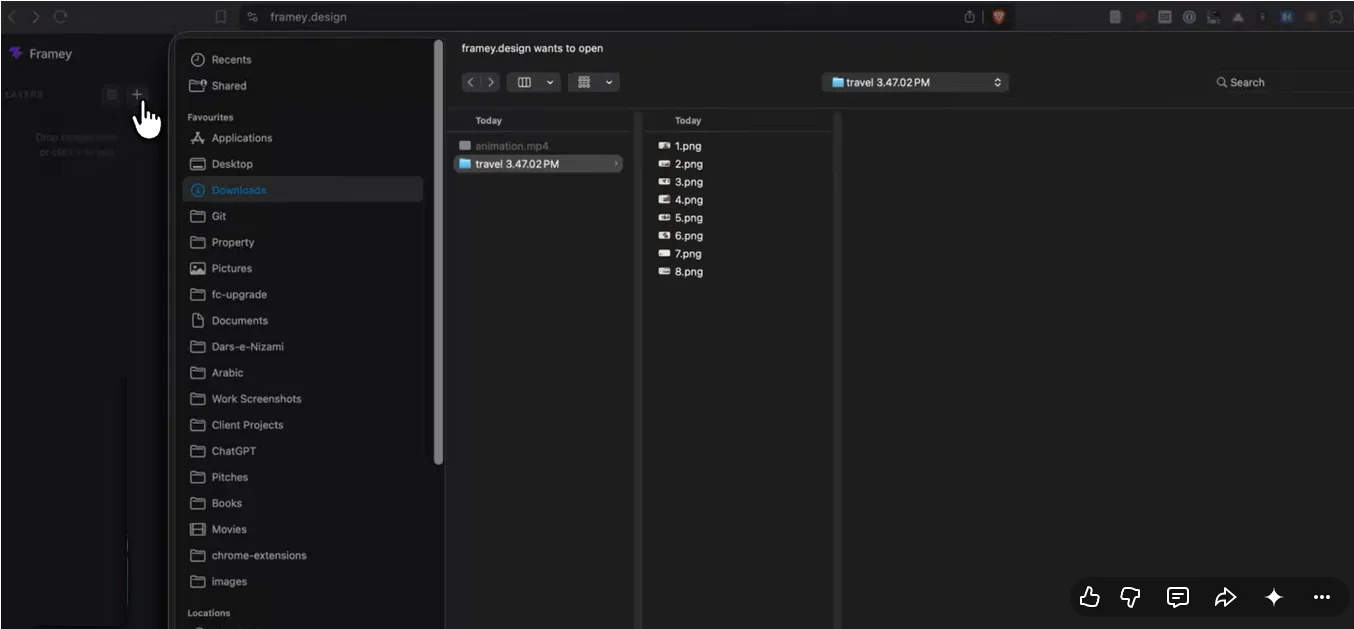
1. Upload Your Images
Start by uploading your images into the tool.
- Export images from tools like Figma
- Make sure file names are properly ordered (e.g., img1, img2, img3)
The tool automatically detects the sequence based on naming.
2. Set Canvas Size
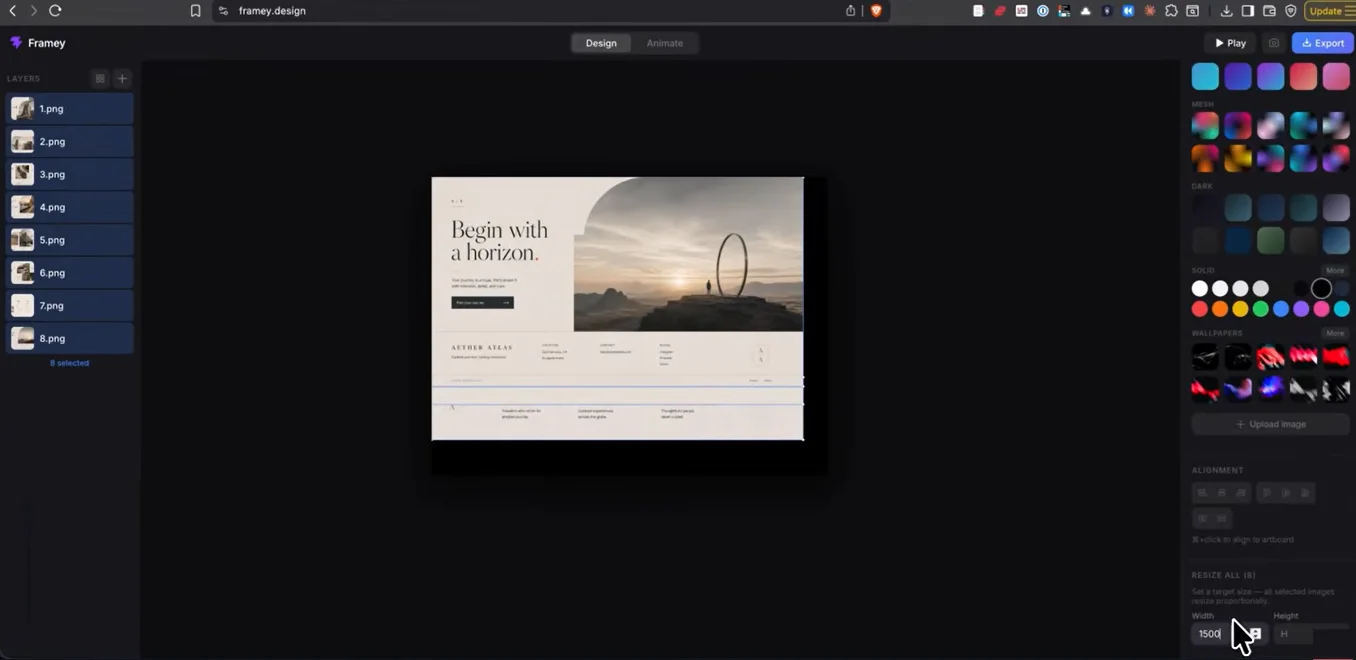
You can easily set the canvas size based on your platform.
For example:
- Dribbble standard size: 1500–1600 px
This ensures your output is perfectly optimized for sharing platforms.
3. Align Images Instantly
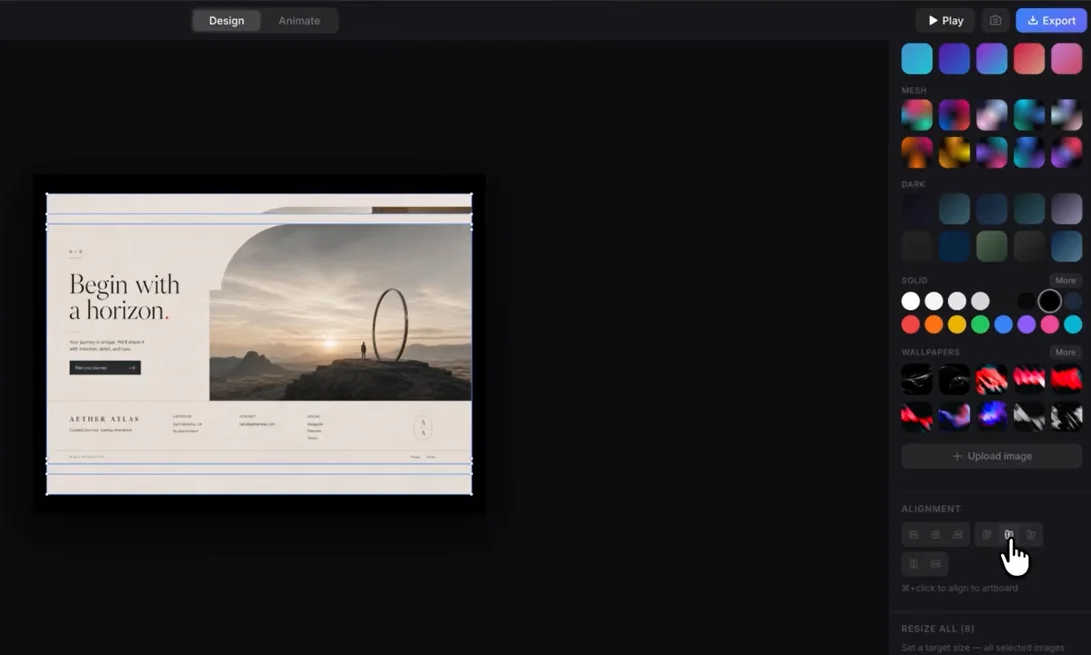
With a simple shortcut (Ctrl / Command + Click):
- All images are centered automatically
- The layout becomes clean and consistent
- No manual alignment required
4. Choose Background Style
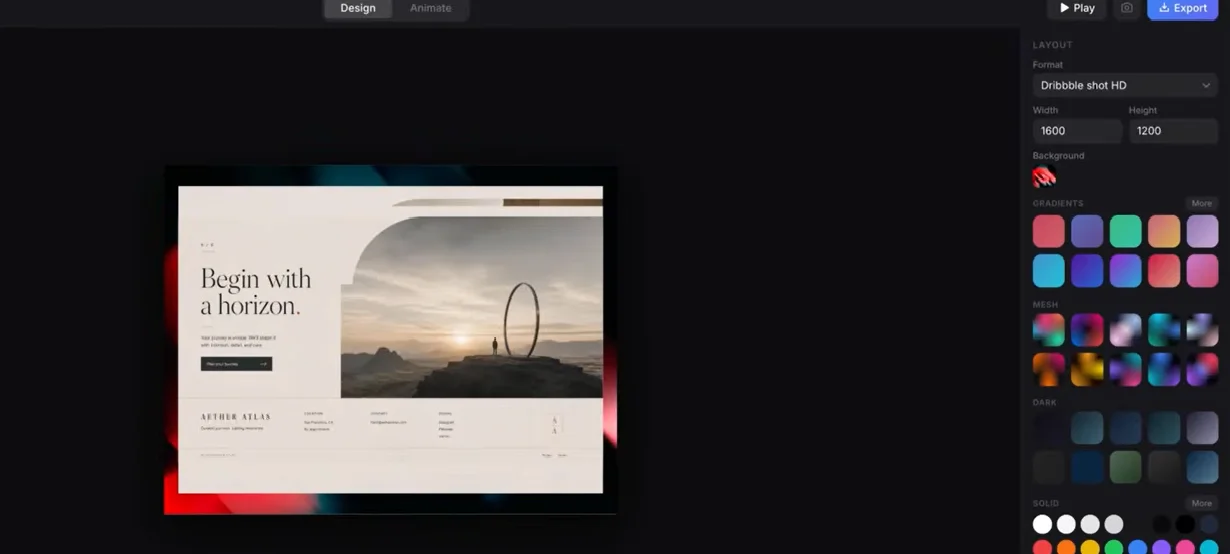
The tool offers different background options such as:
- Solid colors
- Artistic backgrounds
- Image-based backgrounds
You can choose any style that fits your design direction.
5. Apply Animation Effects
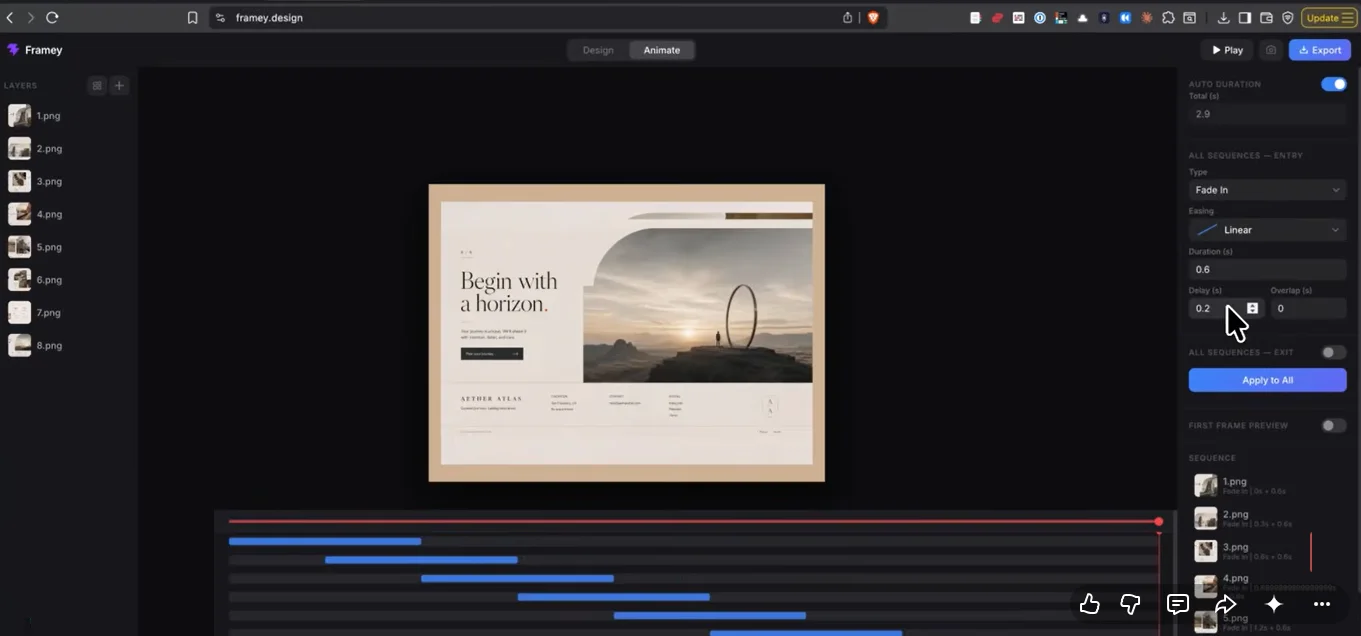
Now comes the most important part animation setup.
You can customize:
- Entry animations (Fade In, Slide Up, etc.)
- Easing effects (e.g., Ease Out Cubic)
- Duration (e.g., 0.5 seconds)
- Delay between frames
- Exit animations
Once done, simply click “Apply to All”, and the tool handles everything automatically.
Real-Time Preview
You don’t even need to switch tabs or open a timeline editor.
Just press Space, and you instantly get a live preview of your animation.
This makes the workflow extremely fast and intuitive.
Screenshot Feature for Dribbble & Social Media
Another powerful feature is the built-in screenshot tool.
You can:
- Pause at any frame
- Capture a high-quality screenshot
- Directly use it for Dribbble or social media posts
This saves a lot of time during content creation.
Export Your Animation in Seconds

Once you’re happy with the result:
- Click the Export button
- The tool generates a smooth video automatically
- No complex rendering process required
Compared to traditional software, this is significantly faster.
Unique Feature: First Frame Preview
Most animation tools have a common issue:
- The first frame appears empty during export
- Thumbnails look incomplete or unprofessional
This tool solves that problem by adding a:
First Frame Preview Feature
Benefits:
- Clean and professional thumbnail
- Better social media presentation
- Improved engagement rates
Key Benefits of This Tool
- Completely free to use
- Extremely fast workflow
- Beginner-friendly interface
- No timeline editing required
- Perfect for designers and marketers
- Optimized for Dribbble and social media content
Who Should Use This Tool?
This tool is ideal for:
- UI/UX designers
- Figma users
- Dribbble creators
- Social media managers
- Digital marketers
- Portfolio builders
Final Thoughts
If you want to create clean, professional image sequence animations without wasting time on complex tools, this solution Framey Design worth trying.
It focuses on:
- Speed
- Simplicity
- High-quality output
And the best part is that it keeps improving based on user feedback.
If you’re a designer or content creator:
Try this tool Framey.design, explore its features, and see how much time it saves in your workflow.



Accepted Payments

